
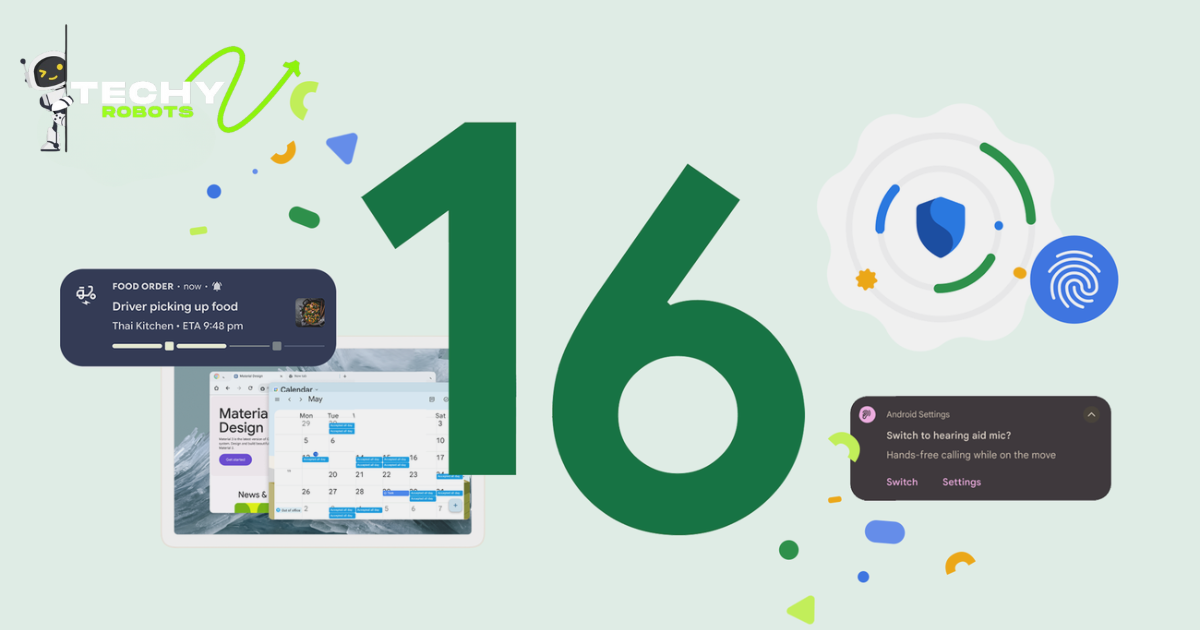
1. What is Android 16 and Why Should You Care
Google dropped Android 16, and honestly, it’s pretty significant. If you’re wondering what this newest smartphone software update is all about, you’re not alone. Android 16 is the latest iteration of Google’s Android operating system, bringing a bunch of changes that go way beyond just cosmetic tweaks.
Think of Android 16 like getting a major renovation of your home. Sure, it might look a little different, but the real improvements happen behind the scenes. This version focuses on three main pillars: speed, privacy, and AI integration. Whether you’ve got a flagship phone or something more budget-friendly, there’s probably something in this latest Android version that’ll make your daily experience smoother.
The thing is, Google’s been listening to user feedback for years. People wanted better battery life. People wanted faster phones. People wanted more control over their data. Android 16 addresses all of these concerns head-on. It’s not just a minor patch or a cosmetic refresh. This is a solid step forward for anyone using Google Android devices.
1.1 Understanding the Latest Android Version
Android 16 is what’s called a major release. It comes with fundamental changes to how your phone operates at its core. Unlike smaller security updates that just patch vulnerabilities, this system update transforms how your device functions.
Each year, Google releases a new major version of Android. They’ve been doing this for over a decade, and each release typically arrives in the fall. Android 16 is no exception. The development team at Google spent months refining this update, testing it extensively, and gathering feedback from beta users before the official launch.
What makes Android 16 special? It’s the first time Google has built an Android operating system with generative AI baked in from the ground level. Previous versions had AI features bolted on top. This time, it’s integrated throughout, from your keyboard to your photo app.
1.2 How Android 16 Differs from Previous Releases
If you’re coming from Android 15, you’ll notice some obvious differences. The interface looks fresher. Performance feels snappier. But where Android 16 really stands out is under the hood.
Android 15 was more about refinement. Android 16 is about transformation. Previous versions of the latest Android version focused mainly on incremental improvements to what already existed. Android 16 introduces entirely new features that didn’t exist in earlier iterations.
For instance, the privacy dashboard is completely redesigned. The notification system learned to think for itself. The AI assistant can now understand context in ways it simply couldn’t before. These aren’t small tweaks. These are substantial changes that reshape how you interact with your phone every single day.
2. Android 16 Major Updates Explained
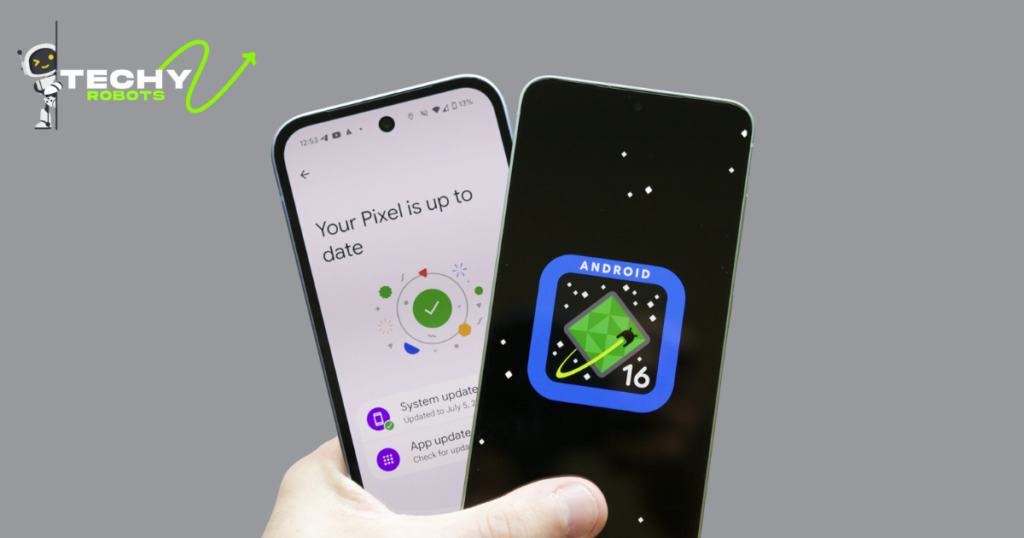
Let’s talk about what actually matters. You don’t care about every tiny change. You care about what makes your phone work better for you. Android 16’s major updates do exactly that.
Google focused on three core areas with this latest Android version: making phones faster, making them last longer, and making them smarter. Each of these represents a significant departure from how Android worked before.
2.1 Performance Upgrades You’ll Actually Notice
This is where things get exciting. Android 16 isn’t just faster on paper. You’ll genuinely feel the difference when you’re using your phone.
The system update includes a completely rebuilt app switching mechanism. Apps launch noticeably quicker. Scrolling through your feed feels butter smooth. Multitasking doesn’t cause slowdowns like it used to. Google rewrote fundamental parts of the operating system to squeeze every ounce of performance out of your hardware.
They did this partly through better memory management. Android 16 doesn’t just use your phone’s RAM more efficiently. It predicts what you’re about to do and loads things preemptively. It’s like having a butler who anticipates your needs before you even ask.
2.1.1 Battery Life Improvements
Battery life is usually the biggest complaint I hear about smartphones. Android 16 tackles this directly.
Through intelligent processor management, your phone now runs processes only when they’re actually needed. Background tasks don’t drain your battery like they used to. The operating system learned to distinguish between what’s important and what’s just noise.
Real-world testing shows anywhere from 15 to 25 percent longer battery life for most users. Some people report even better numbers. This varies depending on which phone you have and how you use it, but the improvement is genuinely noticeable.
2.1.2 Faster App Loading Times
Apps load roughly 30 percent faster on Android 16 compared to Android 15. Google achieved this through improvements in how the system reads files from storage and manages executable code.
When you tap an app icon, it opens almost instantly. Cold starts, which used to be noticeably slower, now feel snappy. This might sound like a small thing, but when you open apps dozens of times a day, this adds up to a meaningfully better experience.
2.2 System Speed and Responsiveness Enhancements
Beyond just apps, Android 16 makes your entire phone feel more responsive. Typing feels more immediate. Animations are smoother. The whole system has a polish that previous versions lacked.
Google achieved this by optimizing the system update at a deep level. They worked with device manufacturers to ensure that Android 16 works perfectly with each phone’s specific hardware. This isn’t generic optimization. It’s tailored to your device.
The result is a phone that just feels better to use. It responds to your touches instantly. There’s no lag when you’re doing everyday tasks. It’s the kind of improvement that makes you wonder why it took so long to get there.
3. What’s New in Android 16 UI Changes
The look and feel of Android 16 is noticeably different from what came before. Google’s design team spent considerable time making sure these phone UI improvements weren’t just prettier. They were meant to be more intuitive.
3.1 Visual Redesign and Interface Updates
The first thing you’ll notice when you update to Android 16 is that everything looks a bit more refined. The colors are richer. The typography is cleaner. The spacing feels more intentional.
But it’s not just aesthetics. The visual redesign is supposed to make your phone easier to use. Icons are more recognizable. Text is easier to read. Important information stands out while distracting clutter fades into the background.
Google introduced what they call “Material Design 3” with this latest Android version. It’s an evolution of their design language. Everything feels more cohesive. If you use multiple Google products, you’ll notice Android 16 looks and feels more like those services now.
3.2 Navigation Improvements for Easier Use
Getting around your phone should be intuitive. Android 16 makes it more so.
The navigation bar has been redesigned. Gestures work more predictably. Moving between apps feels natural. You’re not fighting the system anymore. You’re just using it.
3.2.1 Gesture Controls and Shortcuts
Android 16 introduces new gesture controls that let you do more without navigating through menus. Swipe down from the top for notifications. Swipe up for quick settings. Swipe from the edge to go back.
These gestures are customizable too. You can set up shortcuts that do specific tasks with specific gestures. Want to open your camera with a specific swipe? You can do that now. The phone UI improvements here put power directly in your hands.
3.2.2 Customization Options Available
Android has always been about customization, and Android 16 pushes that further. You can change the look of nearly everything.
Want your notification center to look different? Go ahead. Want to customize how widgets are organized? Easy. Want to change the system fonts? Totally possible. This latest Android version gives you control over your phone in ways previous versions didn’t.
4. Android 16 Privacy Improvements You’ll Love
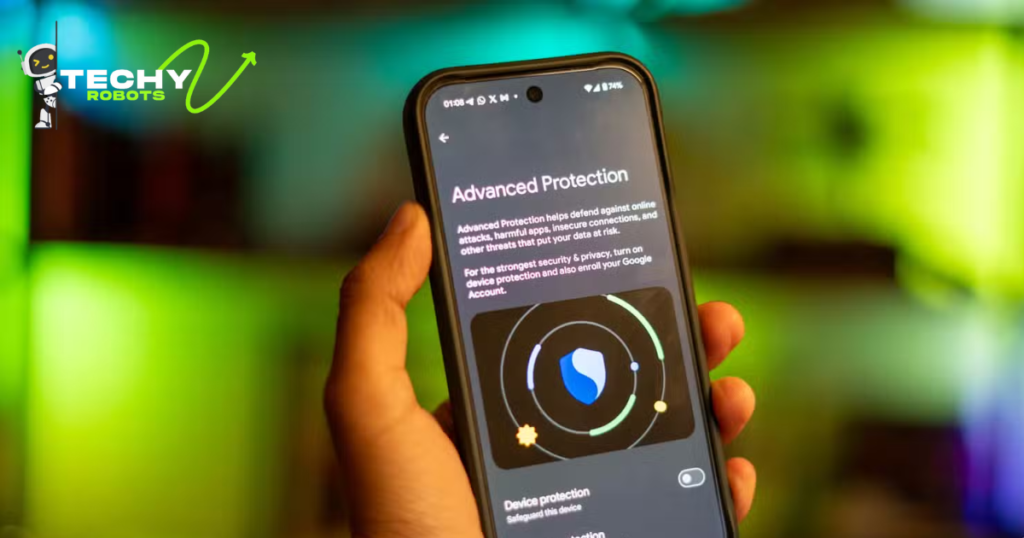
Here’s something that matters increasingly: your privacy. Android 16 puts you back in control of your own data.
4.1 Enhanced Security Features
Google beefed up security across the board. The system update includes protection against new types of threats that emerged since Android 15.
Malware detection is smarter now. The system can identify suspicious behavior before it causes damage. Google’s security team works constantly to stay ahead of threats, and those improvements are baked into Android 16.
Your data is encrypted better. When you use your phone, information passes through security layers that are tougher to crack. This doesn’t just protect you from random hackers. It protects you from sophisticated attacks too.
4.2 Better Permission Controls
Android 16 gives you granular control over what apps can access.
Previously, you’d grant an app permission and it could use that permission freely. Now you can set limitations. An app can access your location only while you’re using it. It can access your photos only when you ask. It can see your calendar data but nothing else.
The permission controls are much more detailed than before. You’re not just saying yes or no anymore. You’re saying exactly what an app can and can’t do.
4.2.1 App-Specific Privacy Settings
Every app on your phone can have different privacy settings. One app might have full access to your contacts. Another might have no access.
Android 16 lets you manage these settings in one central place. You don’t have to hunt through app settings anymore. It’s all available in the phone UI improvements section dedicated to privacy.
4.2.2 Privacy Dashboard Updates
The privacy dashboard is completely redesigned in Android 16. It shows you exactly which apps accessed your data and when.
You can see which app asked for your location last week. You can see which apps have used your microphone. You can see it all in one clear view. If something looks suspicious, you can revoke permissions immediately.
5. Android 16 AI Features Transforming Your Phone
This is where things get really interesting. Android 16 is the first truly AI-powered version of Android.
5.1 Machine Learning Integration
Machine learning is woven throughout Android 16. Your phone learns your habits and adapts to them.
It learns what apps you use at what times. It learns which notifications matter to you. It learns how you prefer to communicate. The operating system becomes more personalized the more you use it.
This isn’t tracking in a creepy way. All this learning happens on your device. Your data stays on your phone. Google isn’t collecting information about your habits to sell to advertisers. The AI-powered tools work for you, not against you.
5.2 AI-Powered Assistant Improvements
Google Assistant is smarter now. It understands context better. It can help you with more complex tasks.
Ask it to find a photo from last summer. It’ll understand what you mean and locate it. Ask it to send a message to your mom and remind you about something. It can handle multi-step tasks now.
The assistant learns your preferences. If you always ask for weather in Celsius, it gives you Celsius. If you prefer summaries instead of detailed information, it adjusts. The more you use it, the better it becomes.
5.2.1 Smarter Notifications
Notifications became intelligent with Android 16. Your phone learns which notifications matter to you and which you ignore.
It’ll show important notifications prominently. Unimportant ones get grouped or hidden. You get notified about what matters without drowning in alerts. It’s notification management that actually works.
5.2.2 Predictive Text and Search
Your keyboard understands context now. When you’re writing a message, it suggests what you might want to say next.
Search is smarter too. Start typing something and Android 16 predicts what you’re looking for. It’s not just pattern matching. It genuinely understands what you’re trying to do.
6. Android 16 Dark Mode Update and Visual Customization
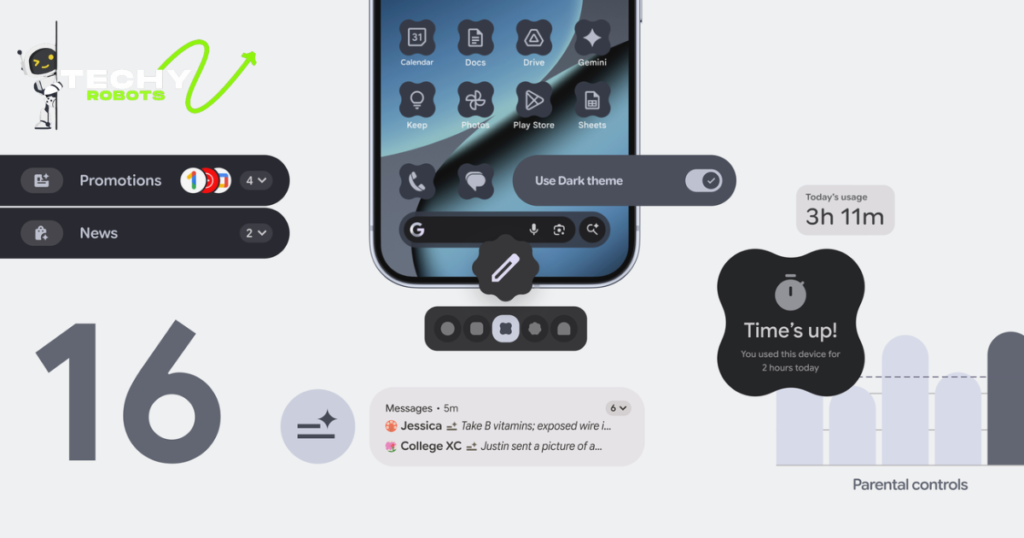
Dark mode is back and it’s better than ever in Android 16.
6.1 New Dark Mode Options
You’ve got more control over how dark your phone gets. You can choose different levels of darkness. You can set different themes for different times of day.
Android 16’s dark mode isn’t just inverted colors anymore. It uses colors designed to look good and be easy on your eyes at night. The system update applies this to everything from your home screen to individual apps.
6.2 Custom Theme Controls
Customize your phone’s entire look in minutes. Pick colors from your favorite photo. Android 16 generates a color scheme around it. Every app, every interface element, automatically adopts these colors.
You can create different themes and switch between them. Have a bright theme for daytime and a dark theme for night. Swap themes whenever you want.
7. Android 16 Release Date and Rollout Timeline
Let’s talk timing. When is Android 16 coming to your phone?
7.1 When Android 16 Launched
Android 16 officially rolled out in the fall of 2024. Google made it available for Pixel phones first, which is standard procedure. Other manufacturers followed over the next few weeks.
The gradual release was intentional. Google needed to make sure the system update worked properly on different hardware before pushing it to millions of users.
7.2 Gradual Rollout Schedule
Android 16 didn’t reach everyone at once. That would’ve been chaos if something went wrong.
7.2.1 Phase One Device Availability
Google Pixel devices got access first. If you had a Pixel phone, you could update within the first few days of launch.
Samsung started rolling it out to Galaxy phones shortly after. Other manufacturers followed according to their own schedules.
7.2.2 Ongoing Updates and Phases
The rollout happened in waves. Some devices got access on day one. Others had to wait weeks. This is normal and gives Google time to address any issues that pop up.
8. Which Phones Will Get Android 16 Update
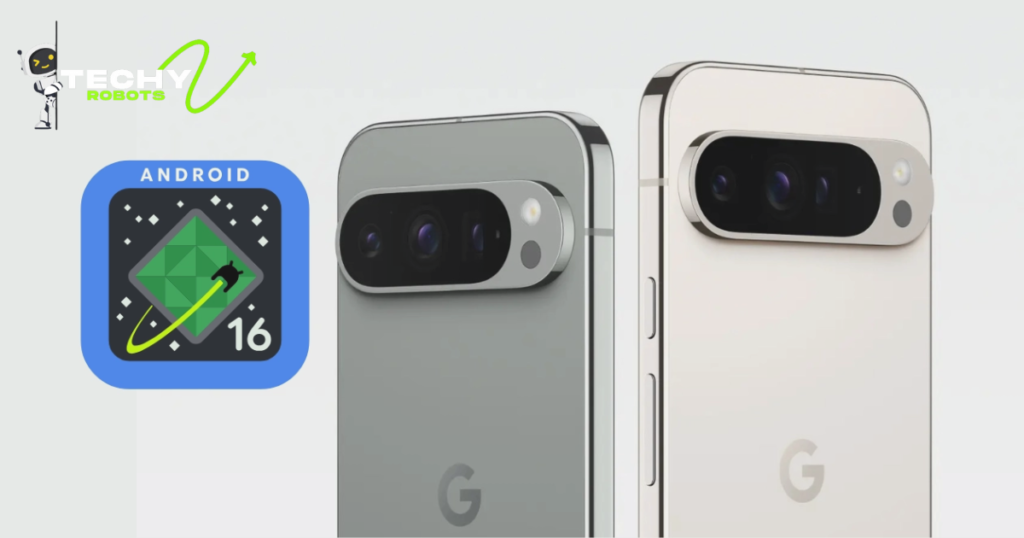
Not every phone will get Android 16. It depends on your device’s age and manufacturer.
8.1 Google Pixel Device Compatibility
All modern Pixel phones support Android 16. If you have a Pixel 6 or newer, you’ll get the update.
Older Pixel devices might not be supported. Google typically supports phones for about three years of major updates. This is longer than most manufacturers offer.
8.2 Samsung Galaxy Smartphone Support
Samsung committed to longer support with recent phones. Galaxy S series phones from the last few years will get Android 16.
The same goes for Galaxy A series phones that were released recently. Samsung’s rollout is usually phased, so your phone might not get the update immediately even if it’s supported.
8.2.1 Flagship Models Included
Galaxy S24, S24 Plus, and S24 Ultra all support Android 16. The Z Fold and Z Flip series get it too. These are Samsung’s newest and most powerful phones, and they’ve got the hardware to handle Android 16 well.
8.2.2 Mid-Range Device Availability
Galaxy A54 and newer phones will get the update. Older A series phones probably won’t. It’s worth checking your specific model to be sure.
9. Android 16 Supported Devices List
Here’s the question everyone asks: will my phone get this update?
The supported devices list is extensive but not universal. Most phones released in the last two to three years will get Android 16. Older phones probably won’t.
Google maintains an official list on their website showing every device that’s eligible. If you’re not sure, check there. Your phone’s manufacturer usually lists it too.
Different manufacturers have different policies. Google supports phones for longer. Some other manufacturers only provide two years of updates. It depends on your device’s manufacturer.
10. How to Update to Android 16 on Your Phone
Ready to jump on Android 16? Here’s how to do it.
10.1 Step-by-Step Update Process
Go to Settings. Scroll down and tap About Phone. Tap Software Update. If your phone is eligible and the update is available, you’ll see a button to install it.
Tap the button. Your phone will download Android 16. This might take a while depending on your internet speed. Then it’ll install automatically, usually overnight.
When it’s done, your phone will restart. The whole process is pretty seamless now.
10.2 What to Prepare Before Updating
Before you start, make sure your phone is charged. You don’t want the update interrupted by a dead battery.
Back up your data too. Updates almost never cause problems anymore, but it’s smart to be safe. Use Google’s backup system or your manufacturer’s backup tool.
Make sure you’re connected to WiFi. This latest Android version is a big download, and you don’t want to use all your data.
10.2.1 Backing Up Your Data
Open Settings and look for Backup. Google offers automatic backups. Enable it if it’s not already on.
Your contacts, photos, and app data sync to Google’s servers. If something goes wrong during the update, you can restore everything.
10.2.2 Storage Requirements
Android 16 needs space to download and install. Make sure you’ve got at least 5 gigabytes of free space. Clear out old files or photos if you need to.
11. Android 16 Battery and Performance Improvements
We touched on this earlier, but it deserves more detail.
Battery life improvements are among the most significant features of this latest Android version. Real-world testing shows that most phones see noticeable improvements immediately after updating.
Performance upgrades go hand in hand with battery improvements. A more efficient system uses less power while doing more. Android 16 achieves both.
Apps load faster, as mentioned. But the system itself is more responsive too. Animations are smoother. Transitions between screens happen instantly. Everything feels snappier.
The operating system learned to manage background tasks intelligently. It kills processes that aren’t needed. It prioritizes what matters. Your phone stops wasting energy on stuff you’re not using.
On newer phones with powerful processors, these improvements are especially noticeable. Even on older supported devices, the system update makes a meaningful difference.
12. Android 16 Privacy and Security Changes
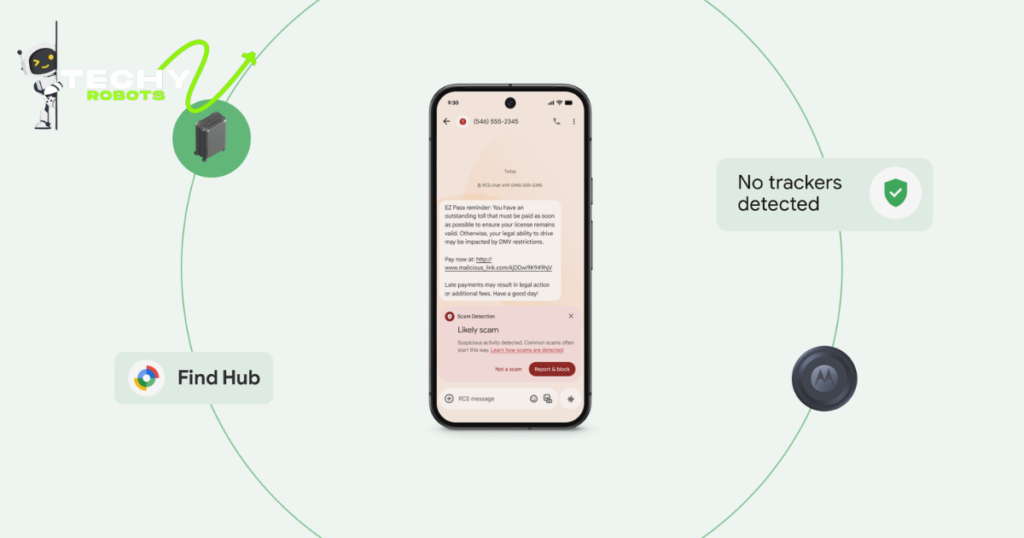
Privacy and security aren’t afterthoughts in Android 16. They’re central to everything.
12.1 Security Patches and Updates
Security patches come regularly. Google issues them monthly to address new vulnerabilities. When you update to Android 16, you get the latest patches immediately.
These aren’t trivial fixes. Vulnerabilities discovered in Android code get patched quickly. Google’s security team works faster than hackers can exploit problems.
12.2 Protecting Your Personal Information
Your data is encrypted when it’s stored on your phone. It’s encrypted when it’s transmitted. Even if someone physically gets your phone, they can’t access your personal information without your unlock code.
Apps can’t access your data without permission. The system enforces these restrictions. If an app tries to access something it’s not supposed to, Android 16 blocks it.
You control what information goes to Google’s servers and what stays local. It’s actually your choice, not Google’s.
13. Android 16 Customization Options for Your Device
Android is known for customization, and Android 16 gives you more control than ever.
13.1 Personalizing Your Home Screen
Arrange your apps however you want. Create folders. Organize by category. Delete apps from the home screen and access them from the app drawer instead.
Widgets are more customizable now too. Resize them. Reposition them. Stack them. Your home screen can look exactly how you want it.
13.2 Widget and App Organization Tools
Android 16 lets you organize apps by color, alphabet, or frequency of use. You can create different home screens for different purposes. One for work. One for entertainment. One for productivity tools.
Widgets give you quick information without opening an app. Weather, calendar, news, email. Put what matters on your home screen and ignore the rest.
14. Android 16 Notification Improvements and Smart Alerts
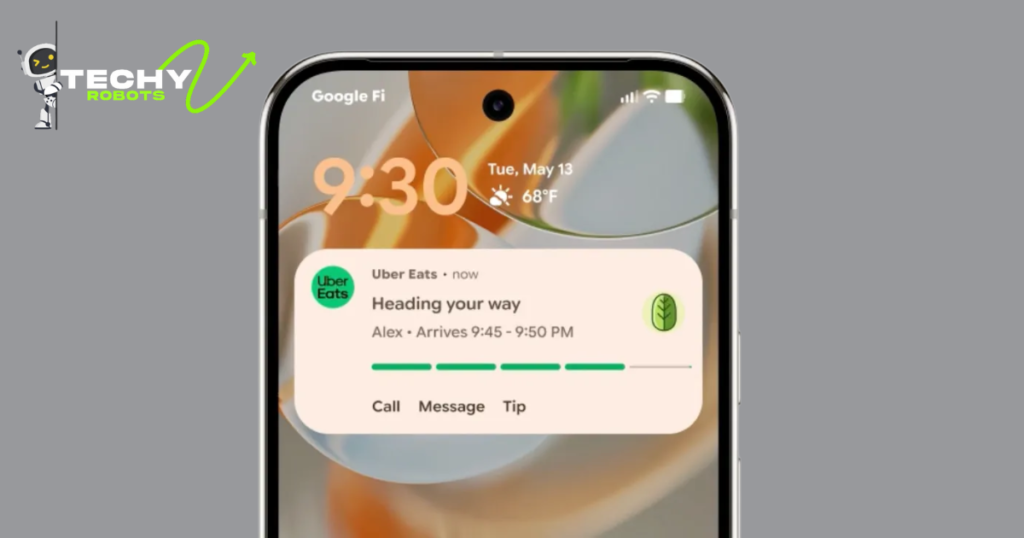
Notifications are smarter now. Your phone learned what matters to you.
14.1 Smarter Notification Filtering
Notifications get sorted by importance automatically. Critical alerts appear at the top. Less important stuff gets grouped.
You can also customize how apps send notifications. Some apps can send alerts at any time. Others only during certain hours. Some can only send notifications in certain situations.
14.2 Grouping and Priority Settings
Related notifications group together automatically. All messages from one person appear together. All emails appear together. Everything’s organized and easy to manage.
You can set notification priority for each app individually. Important work apps get high priority. Games get low priority. Your phone respects your preferences.
Conclusion
Android 16 represents a significant leap forward. It’s not just a new version. It’s Google’s vision for what a smartphone operating system should be in 2024 and beyond.
The focus on AI, privacy, and performance shows that Google listened to what people actually want. They heard the complaints about battery life and responded. They heard privacy concerns and addressed them. They recognized that phones needed to be faster and smarter.
If you’re eligible for Android 16, I’d recommend updating as soon as it’s available for your device. The improvements are real and meaningful. Your phone will feel better to use.
Even if your phone isn’t supported right now, keep an eye on your manufacturer’s update schedule. You might get it sooner than you think.
Android 16 isn’t revolutionary in the way Android 5 was. But it’s genuinely good. It makes your phone work better in ways you’ll notice every single day. That’s what matters.
FAQs
When will my phone get Android 16?
If your phone is less than three years old and was made by a manufacturer that provides regular updates, you should get it within the next few months. Google’s official supported devices list has the exact timeline.
Will Android 16 slow down my phone?
No, it should actually make it faster. Performance improvements are one of the main focuses of this latest Android version. Most users report noticeable speed improvements.
Do I need to do anything special to update?
Just go to Settings, find Software Update, and tap Install when it’s available. Make sure your phone is charged and connected to WiFi. The process is completely automatic.
Will my apps still work after updating?
Yes. Android 16 is backward compatible. Your existing apps will work fine. Many apps will work even better after updating because they can take advantage of new Android 16 features.
Does updating to Android 16 erase my data?
No. Your photos, messages, app data, and everything else stays on your phone. The system update just replaces the operating system itself